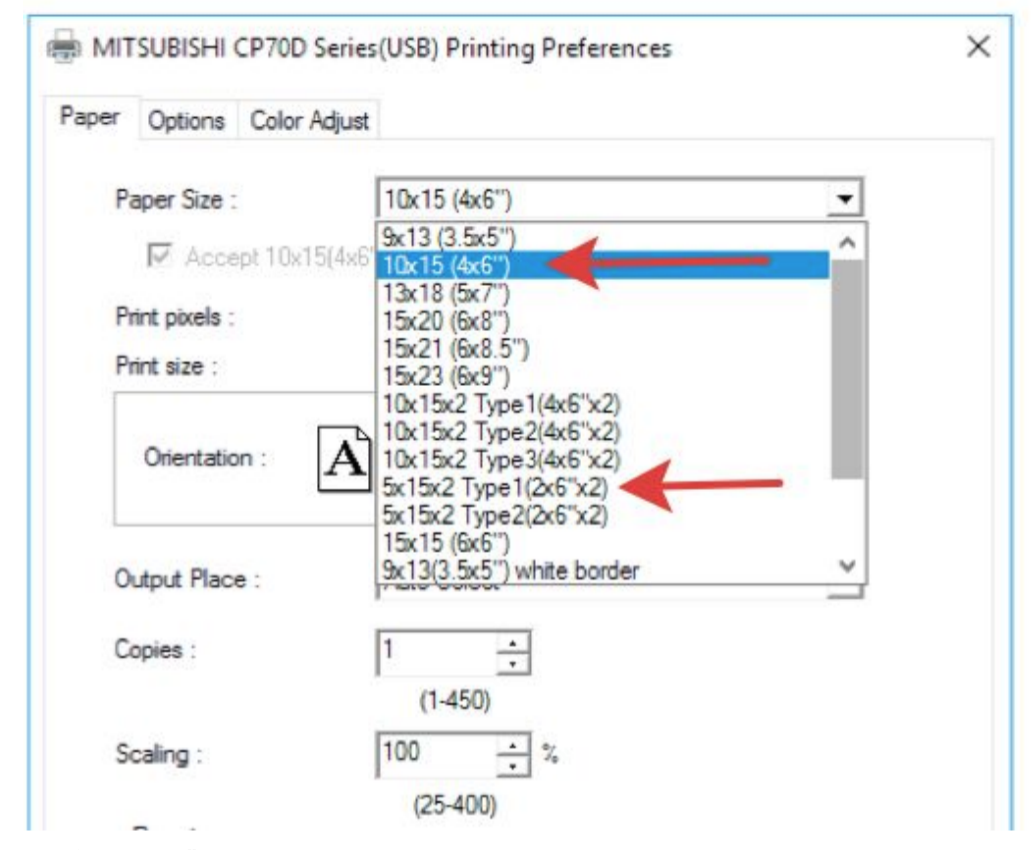
Each of your event will have a different print design and layout. It can be 4x6 large prints or 2x6 prints.
- Open the General Settings of your PC by clicking on the gear wheel icon on the taskbar.

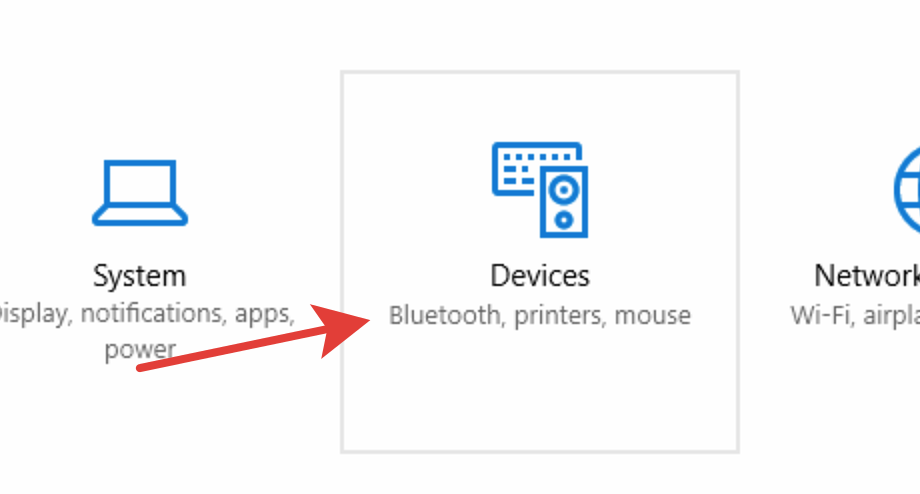
2. Click on the Devices section.
3. Select “Mitsubishi CP-K60" printer in Printer & Scanners opened tab.

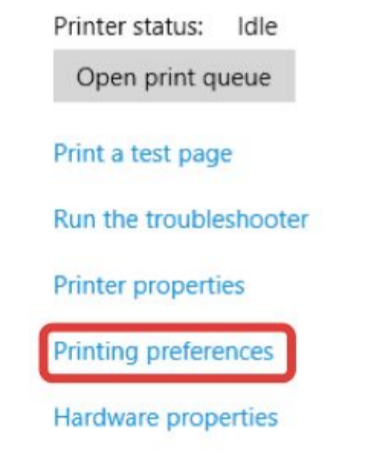
4. Click on “Printing preferences” on side menu bar.
5. Select the right type of paper size. 4x6 or 2x6 for your event.
6. Paper residue indicator. Make sure we have enough paper left to start
event. Replace the roll paper if necessary.
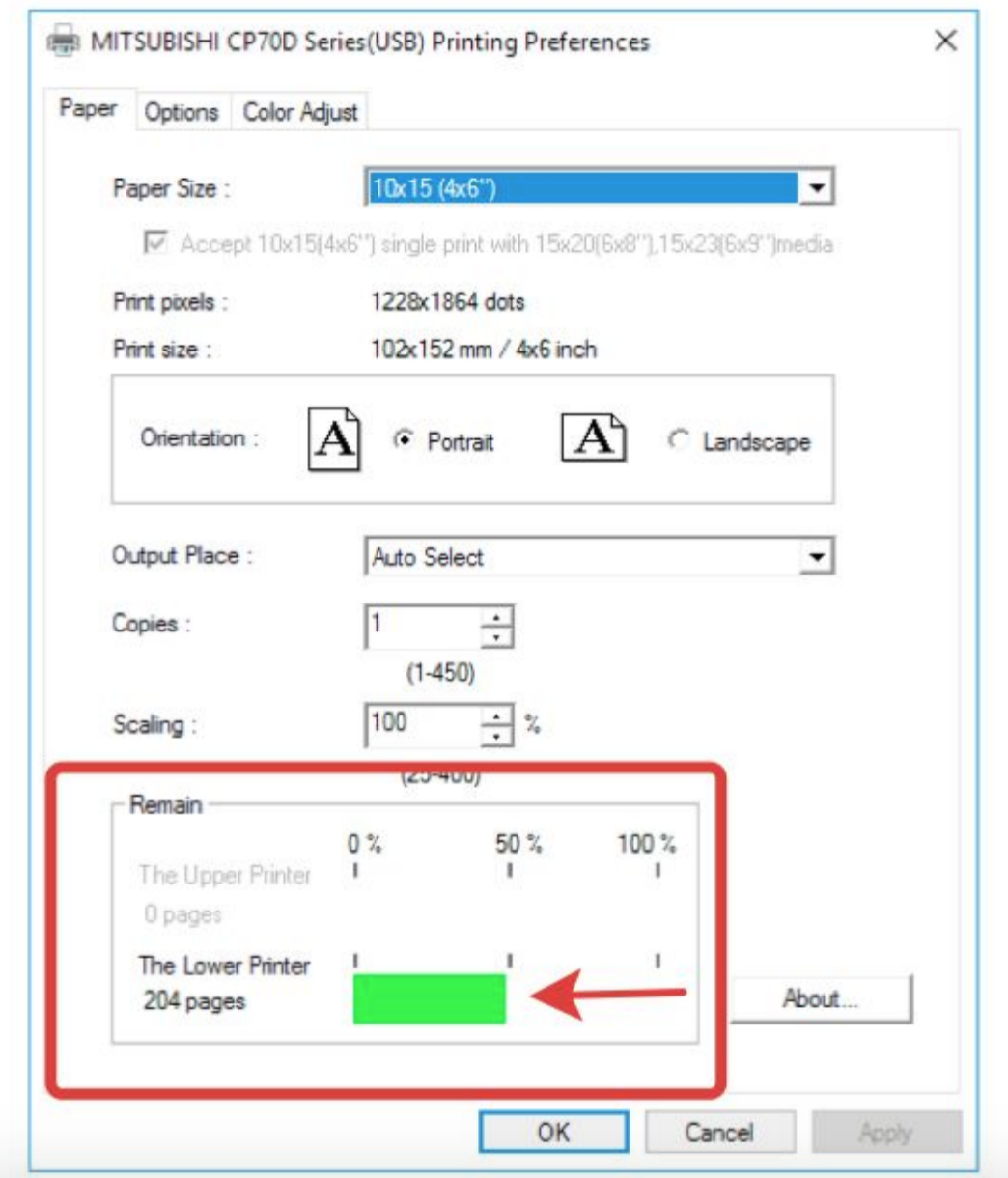
- Click Ok button to save the settings.
- Launch the software and select the layout you need on the software Settings > Templates.
