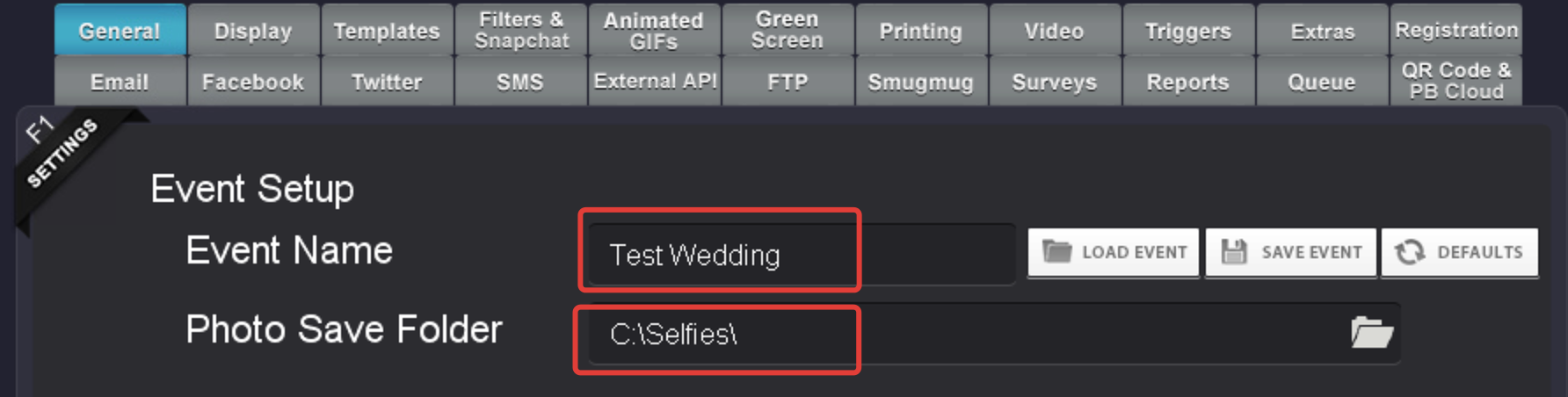
All photos and data are locally saved on the booth for each event on the C:\Selfies\ folder. Each event will have it's own folder with sub folders.
- Customized: This is where the final prints will be saved.
- Data: This is where the data files with emails, phone numbers and other data are saved.
- Gifs: This is where animated GIFs are saved.
- GreenScreen: This is where individual green screen shots are saved.
- Originals: This is where the original photos from the camera are saved.
- Videos: This is where videos are saved.
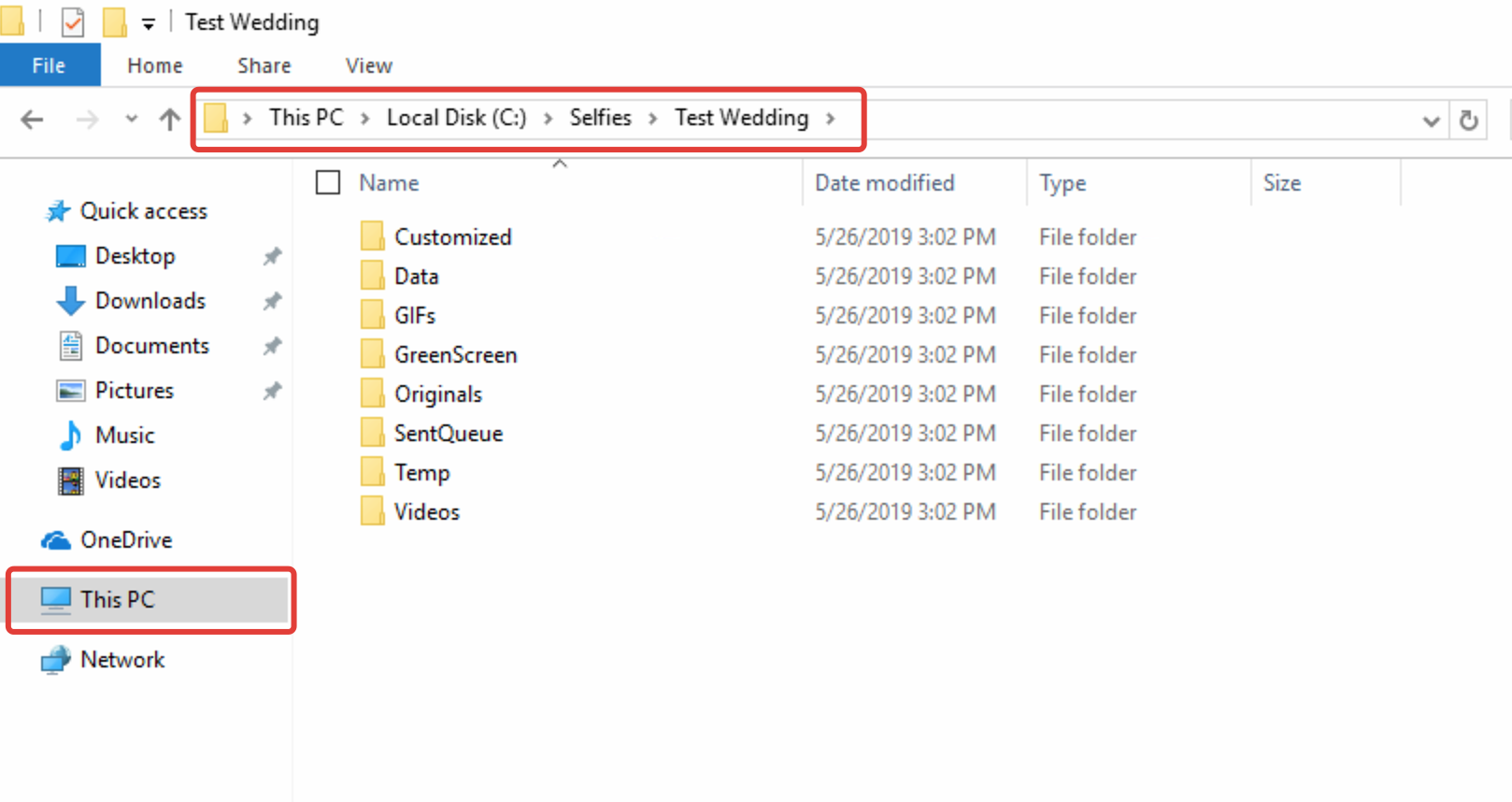
Here's how it works:
1. Run the software
2. Enter a name for your event, for example "Test Wedding". Each event will create a sub folder in your Photo Save folder where the photos and data for the event are stored. It is recommended to change event name for each event to keep your photos and data separated.
3. Photo Save Folder. Select a location for your Event photos to be saved. The default file path is C:\Selfies\.